
A client needed to copy their product catalogue from a live Shopify store to a staging store. Straightforward enough. I reached for Matrixify, which is the obvious tool for moving Shopify data around, and it did what it does well: it exported the data. The products came across. The variants came across. But the metafields that referenced metaobjects didn’t. The client’s products landed on the staging store missing data that was invisible until you went looking for it.
That was over a year ago, so I recently ran a test to reproduce it.
I exported a small set of products from one store using Matrixify’s free plan and imported them onto a fresh store. The result was the same. The products arrived. The metafields didn’t.
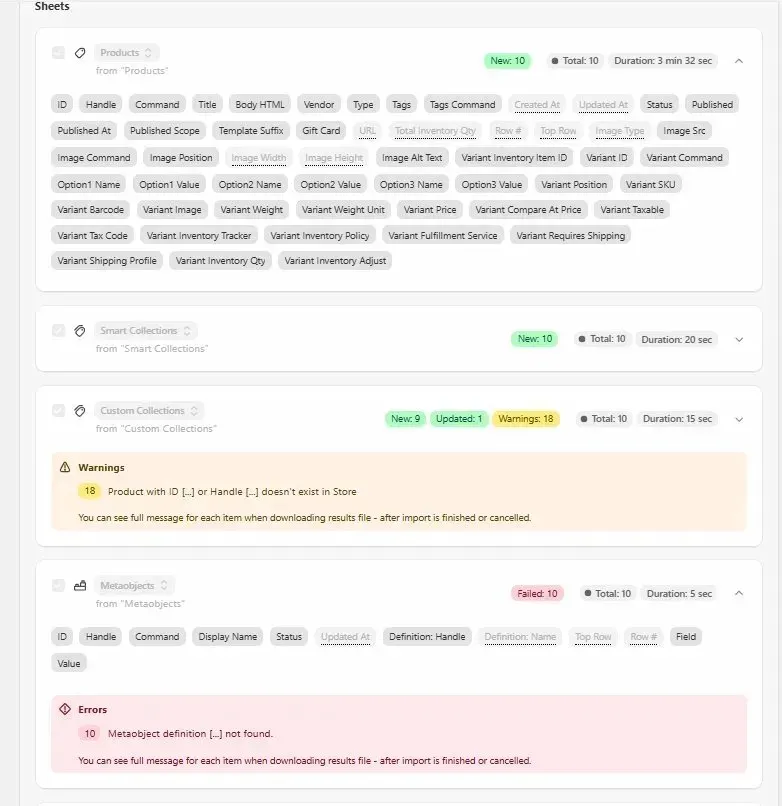
What happened was this: Matrixify exported the metaobject entries faithfully, but it had no way to create them on the target store without the metaobject definitions already being in place. With those definitions missing, the metaobject import failed entirely. And with no metaobjects on the target store, there was nothing for the product metafields to reference. Shopify simply didn’t write them.
To get the metaobjects across properly, you’d need to first create their definitions on the target store and re-run the metaobject import. Then manually recreate the metafield values on each product, because they’re not part of the export. At which point you’re doing data engineering without all the pieces.
I should be transparent about the limits of that test. Matrixify’s free plan restricts exports to 10 items per sheet, and the sheets aren’t linked — there’s no guarantee the 10 metaobjects that exported were the ones referenced by the 10 products that exported. A paid subscription would be needed for a fully representative test, which I’m not going to buy just to write a blog post. So treat it as illustrative rather than conclusive.
What I can say with confidence is that the architectural problem is real regardless of plan level. This isn’t a criticism of Matrixify. It’s a good tool and it does exactly what it says. The problem is that it thinks about your store as a spreadsheet.
The spreadsheet model and its limits
Matrixify exports your store as a workbook. Products on one sheet, Metaojects on another, Collections on another. Each sheet is accurate in isolation. The relationships between them are implied rather than enforced.
That works well for bulk data operations where you understand the schema and you’re managing the process. It works less well when what you actually want is to pick up a product and put it somewhere else intact.
The word intact is doing some work here. A Shopify product isn’t just a row in a table. It has variants, media files, metafield values, references to metaobject entries, collection memberships, inventory levels across locations, selling plan associations, and custom field definitions that describe the schema behind each field. When you copy a product, all of that needs to come with it, in the right order, with the right relationships preserved.
Matrixify gives you the data. Assembling it back into something that works is, by design, your job.
What Product Save & Sync does instead
PSS was built specifically for the job Matrixify wasn’t designed for: copying products between Shopify stores and having them work on the other side.
When you export products with PSS, it creates a complete snapshot of everything that belongs to those products. The actual media files are downloaded and included, not just the URLs. Metaobject entries referenced by your products are captured, along with their definitions. Metafield definitions, collection memberships, inventory levels across every location, variant data, selling plan associations, sales channel assignments: all of it.
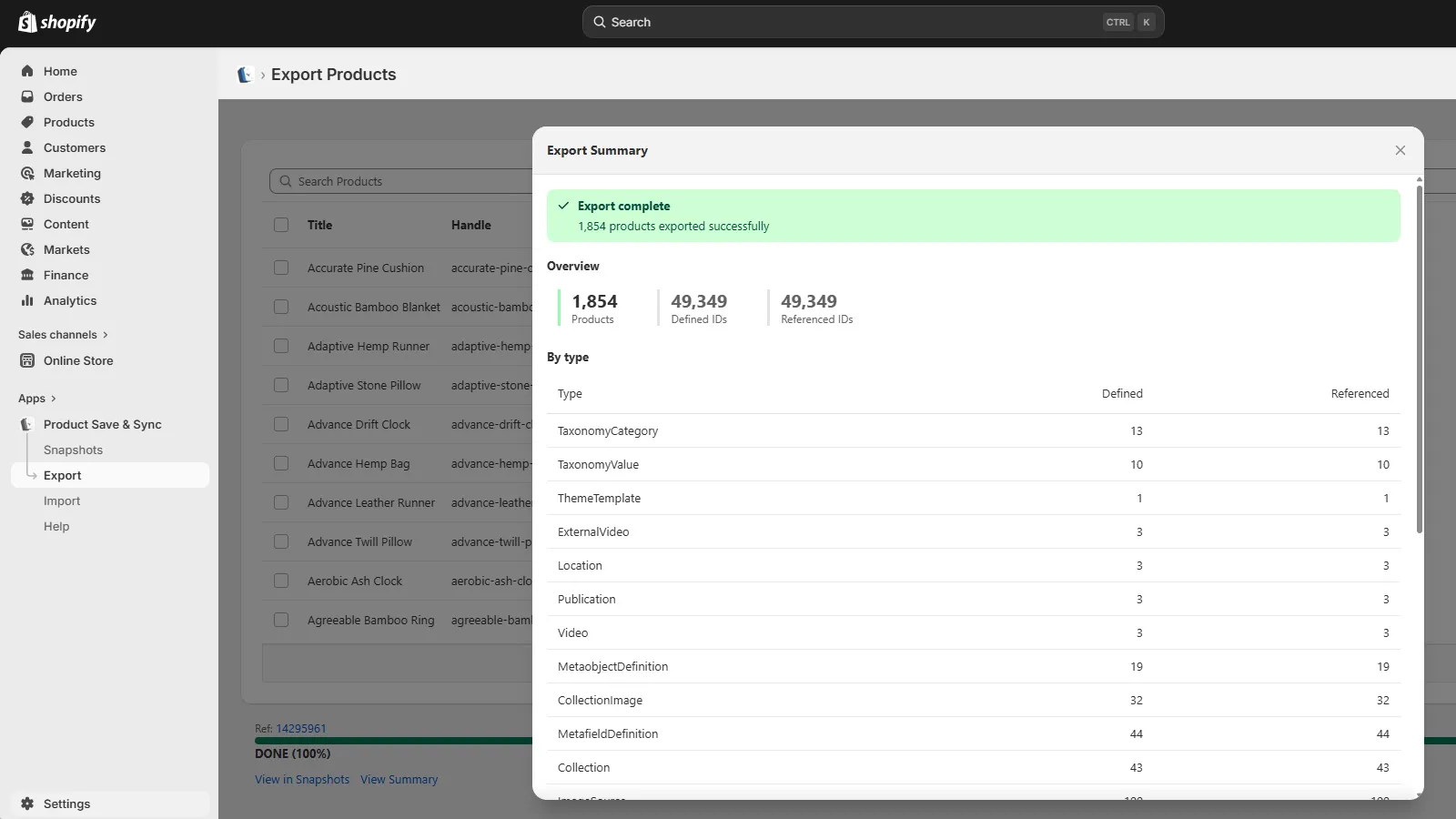
When you import into a target store, PSS handles the relational logic. Metaobjects are matched by Shopify ID on the same store, or by handle on a different store, since IDs don’t transfer between stores. If a matching metaobject already exists it is updated to match the source. If it doesn’t exist it is created. The metafield values that reference those metaobjects are then written pointing at the right entries on the target store.
The products arrive intact.
Three ways to use it
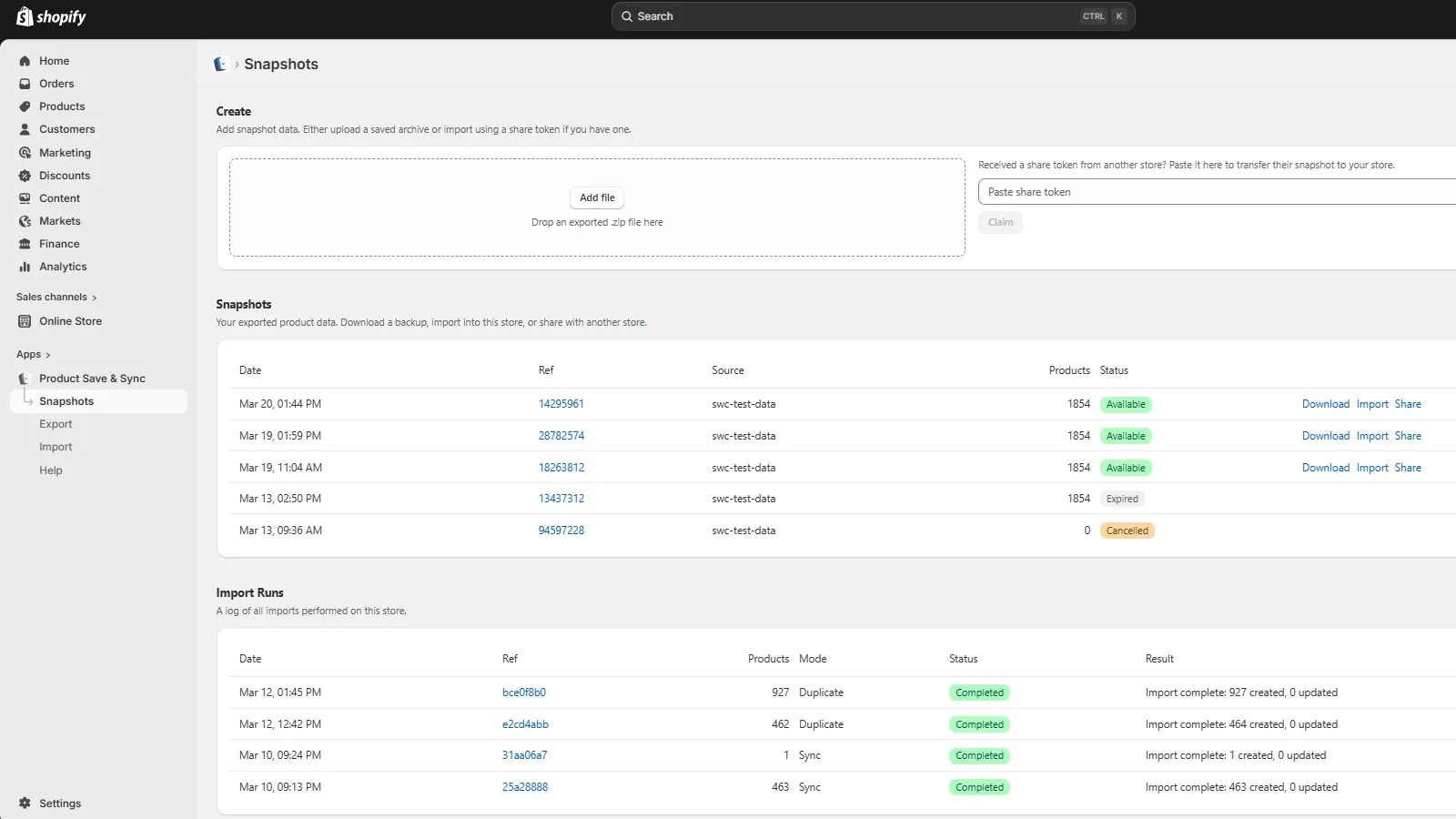
Restore: for reverting a product on the same store it was exported from. Useful after accidental bulk edits or a rogue CSV import. The product is matched by its Shopify ID and overwritten with the saved snapshot, including full reconciliation: extra variants removed, extra metafields cleaned up, inventory zeroed at locations not in the export.
Duplicate: for creating a copy of a product on the same store. Useful as a starting point for a variation, or for building product templates. A new product is always created; shared resources like collections and metaobjects are matched and used as-is rather than updated.
Sync: for replicating products from one store to another and keeping them in step. Products are matched by handle on the target store. This is what solves the staging store problem.
What PSS doesn’t cover
Being clear about limitations seems more useful than hoping nobody notices them.
PSS is focused exclusively on product data. Orders, customers, and other store data are outside scope. Exports are on-demand, not scheduled. International market-specific pricing managed through Shopify Markets is not captured at the product level.
Selling plan groups, subscription configurations managed by apps like Recharge or Bold, are matched and associated if they exist on the target store, but PSS does not create new groups. That configuration lives in your subscription app, not in Shopify’s product data.
Who this is for
If you need to do a full store migration, bulk edit thousands of products via CSV, or build complex data transformation pipelines, Matrixify is probably the right tool. It was built for people who understand their store’s data structure and want control over the whole process.
If you need to copy products to a staging store, back up a catalogue before a risky operation, restore a product after something went wrong, or duplicate a product with all its associated data, PSS was built for that job specifically.
Matrixify gives you the data. PSS gives you the product.
Product Save & Sync is available on the Shopify App Store. There’s a free plan.